If you've misplaced your hearing aids, you can use the "Find my hearing aids" feature in the Fortell companion app. It will show you the last known location where your hearing aids were connected.
Step 1
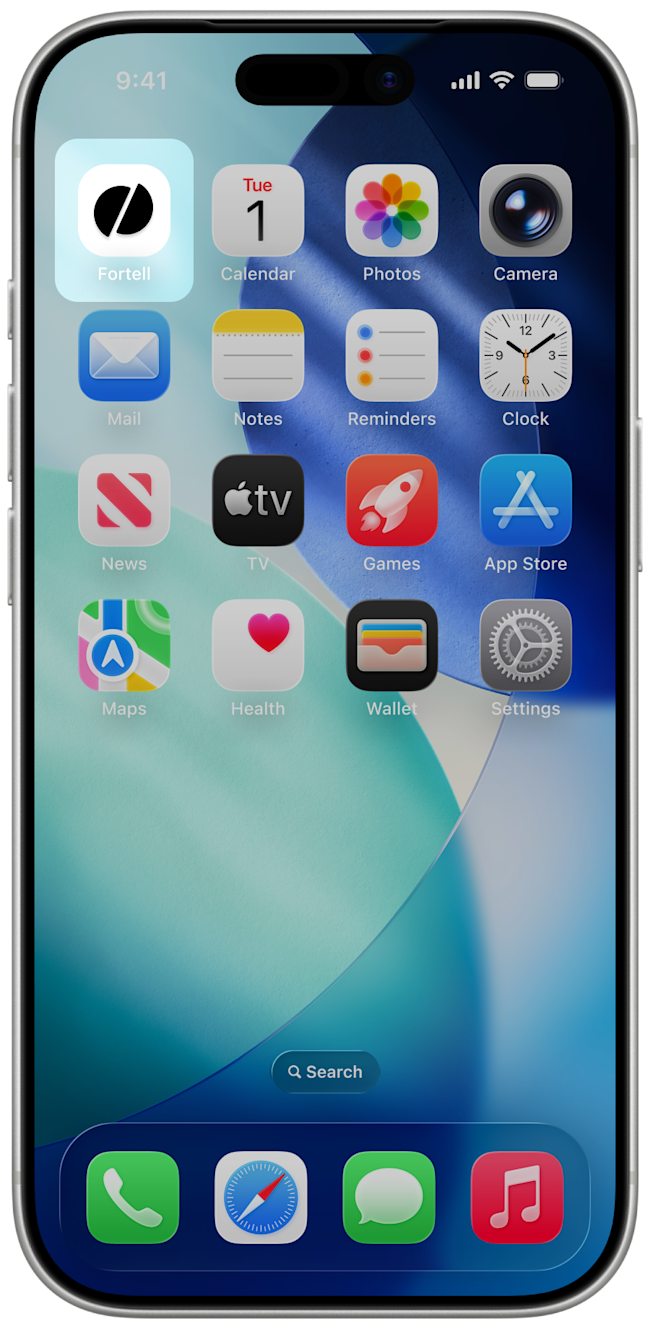
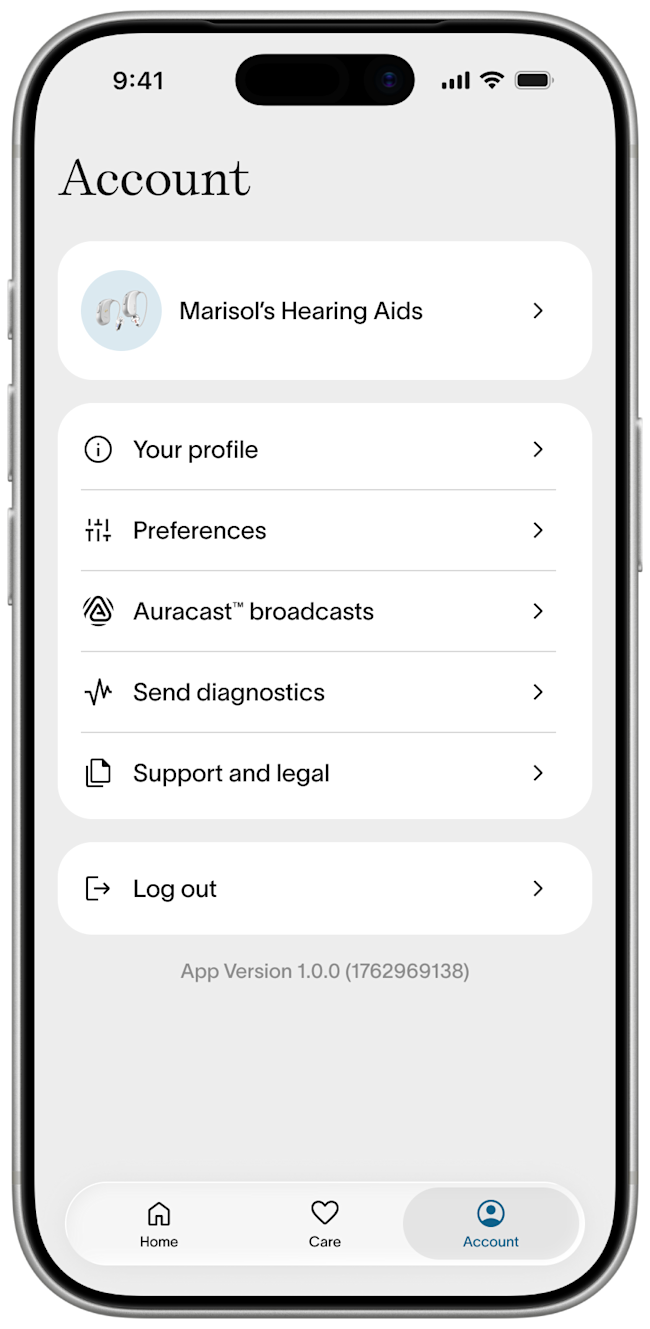
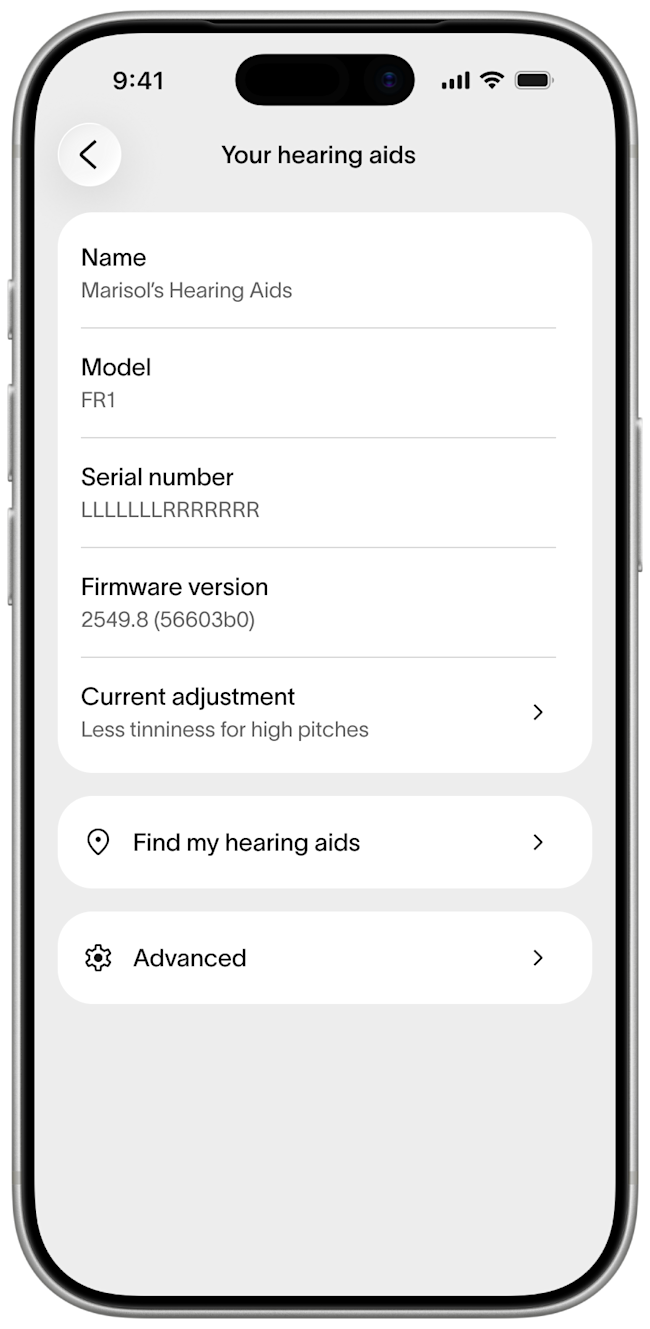
Open your Fortell companion app. Go to Account > [Your name]’s Hearing Aids > Find my hearing aids
Step 2
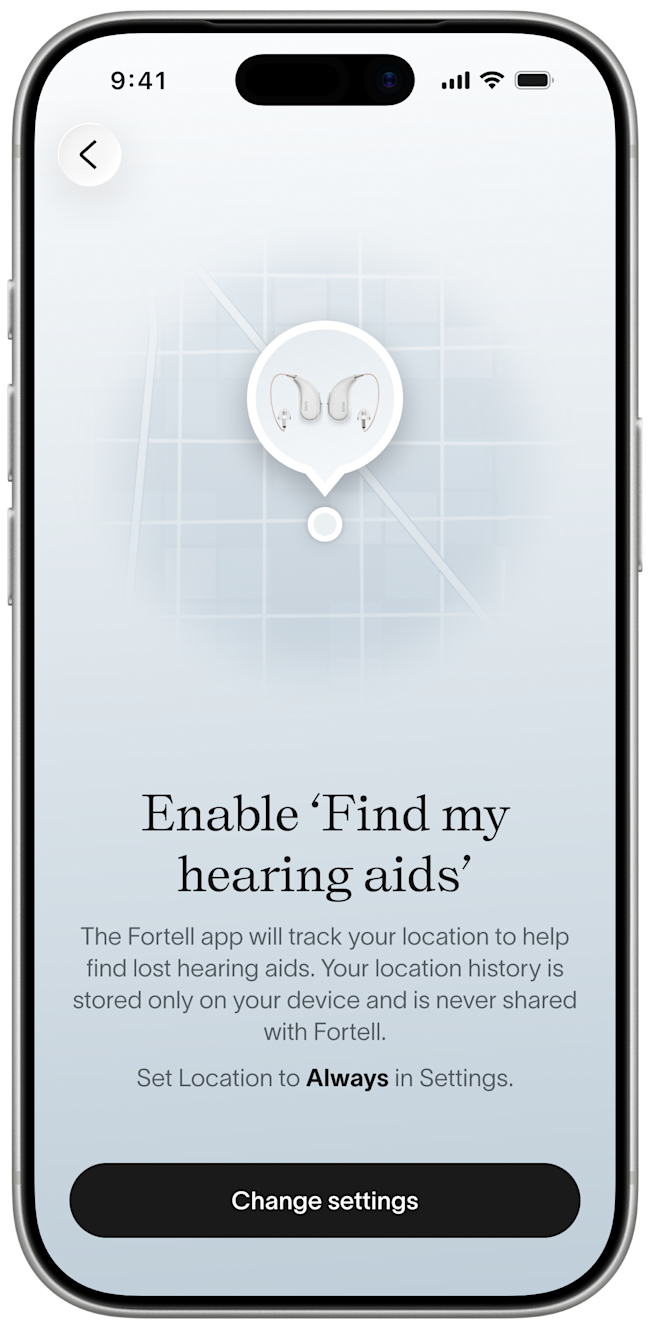
The Fortell companion app tracks your location to help find lost hearing aids. Your location history is stored only on your device and is never shared with Fortell. If your audiologist set this up for you during your first visit, this step will not show up and you can skip to Step 3.
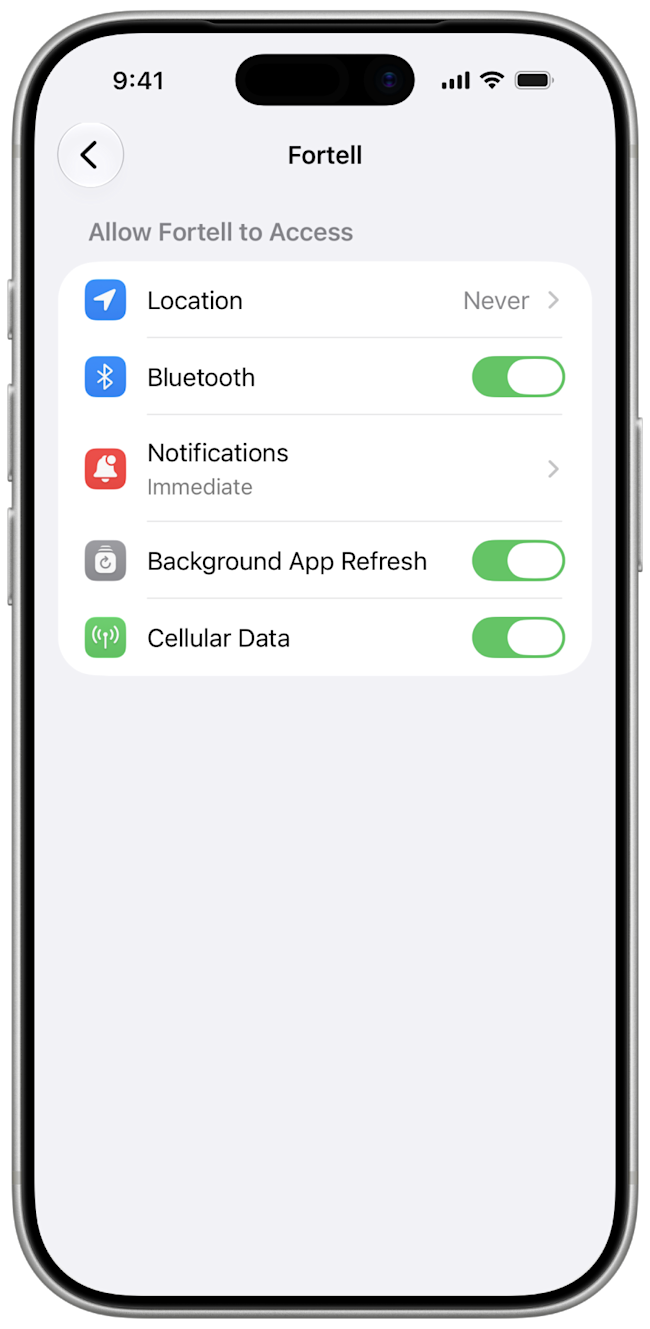
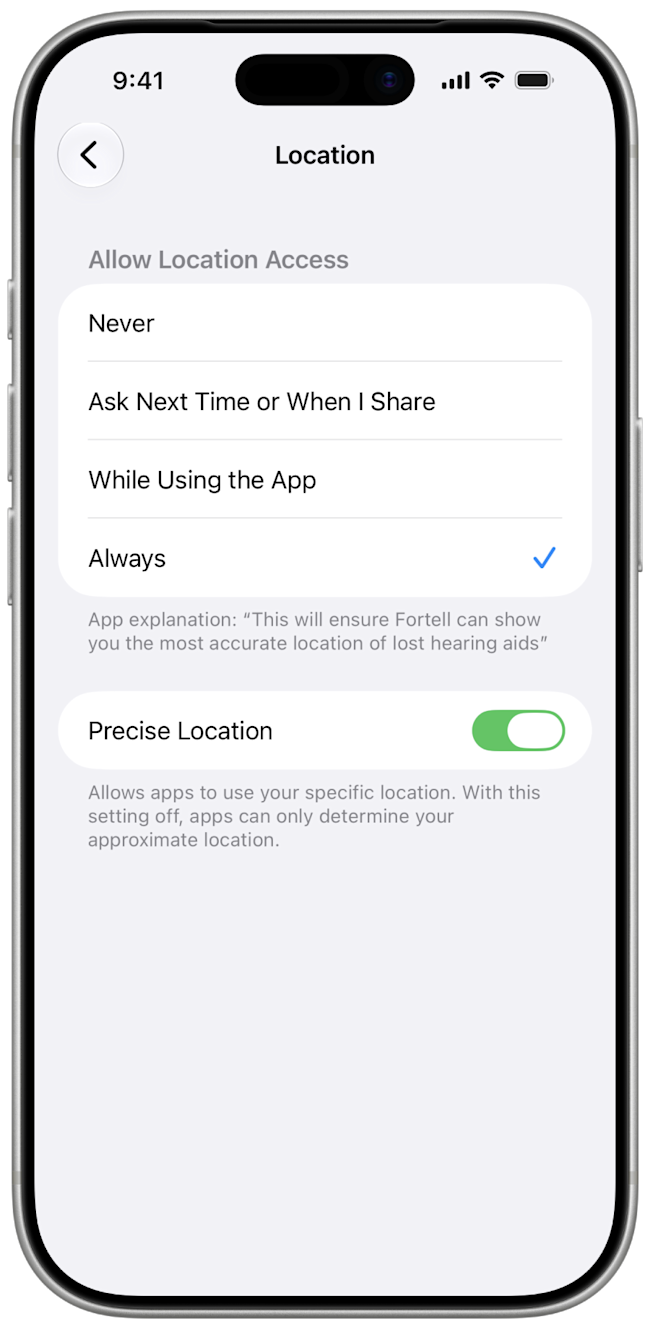
If you do see this screen, tap Change settings which will open your iPhone settings for the Fortell companion app. Tap Location and switch from Never to Always and then return to the Fortell companion app.
Step 3
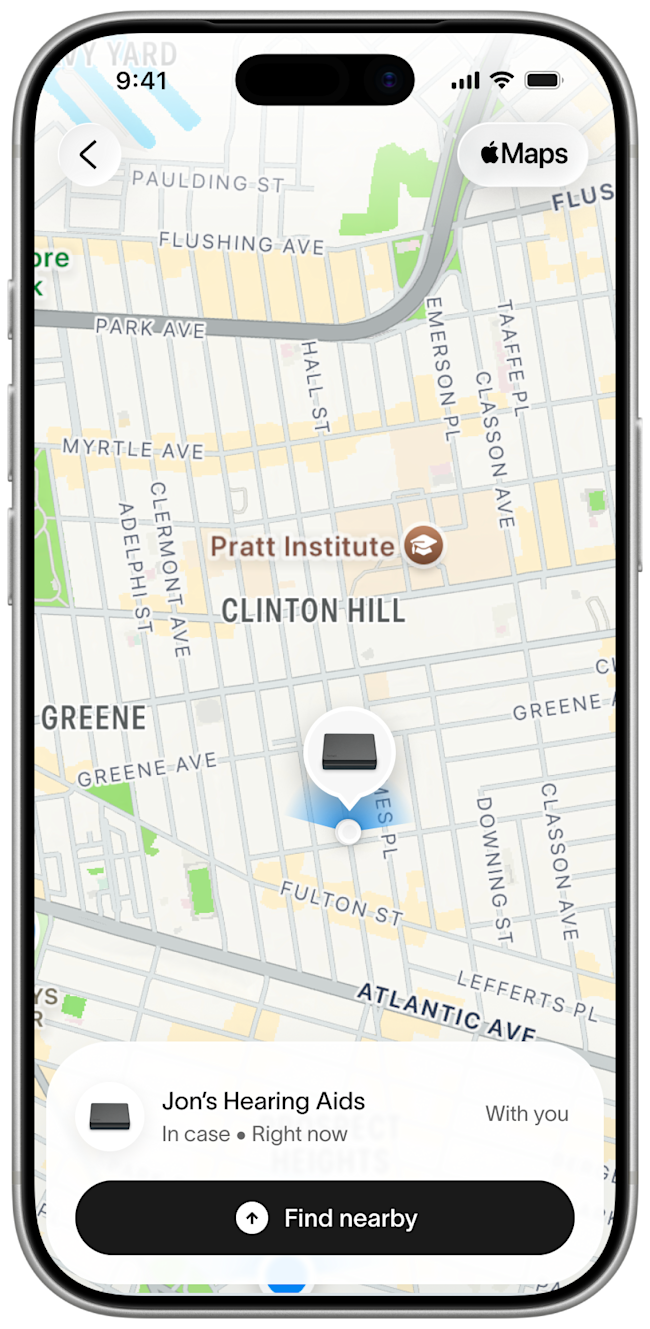
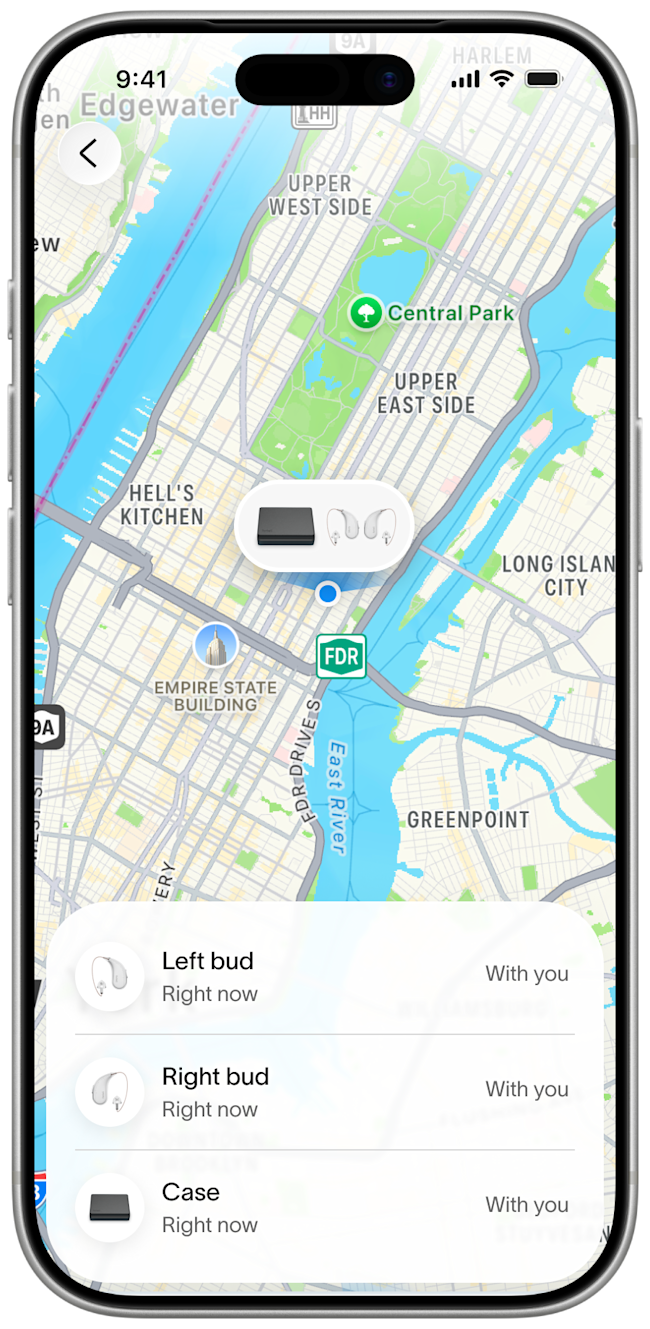
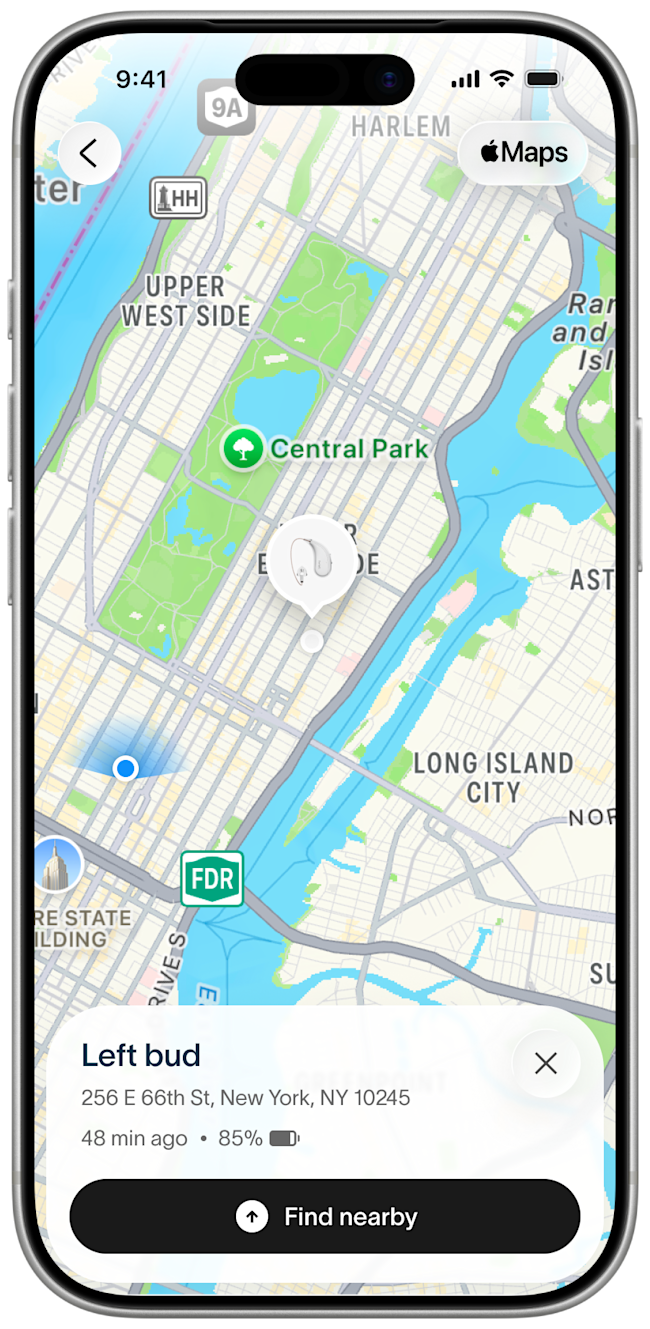
You should now see the last place your hearing aids were connected to your phone. If your hearing aids are in the case and close by, you will see them as one item in the list. If your hearing aids are not in the case, you can see each bud and the case individually.
Step 4
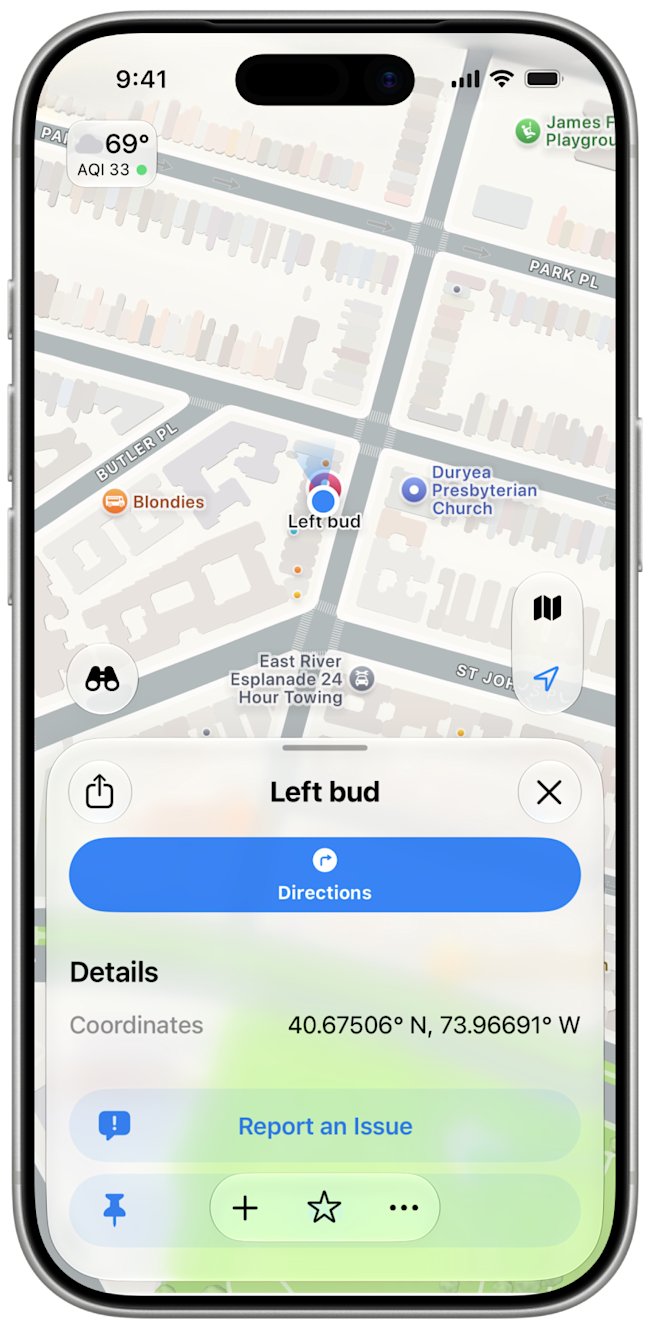
Tap on the specific hearing aid you are trying to find. If it is far away, you can tap on the Apple Maps icon at the top right corner of your screen to get directions.
Step 5
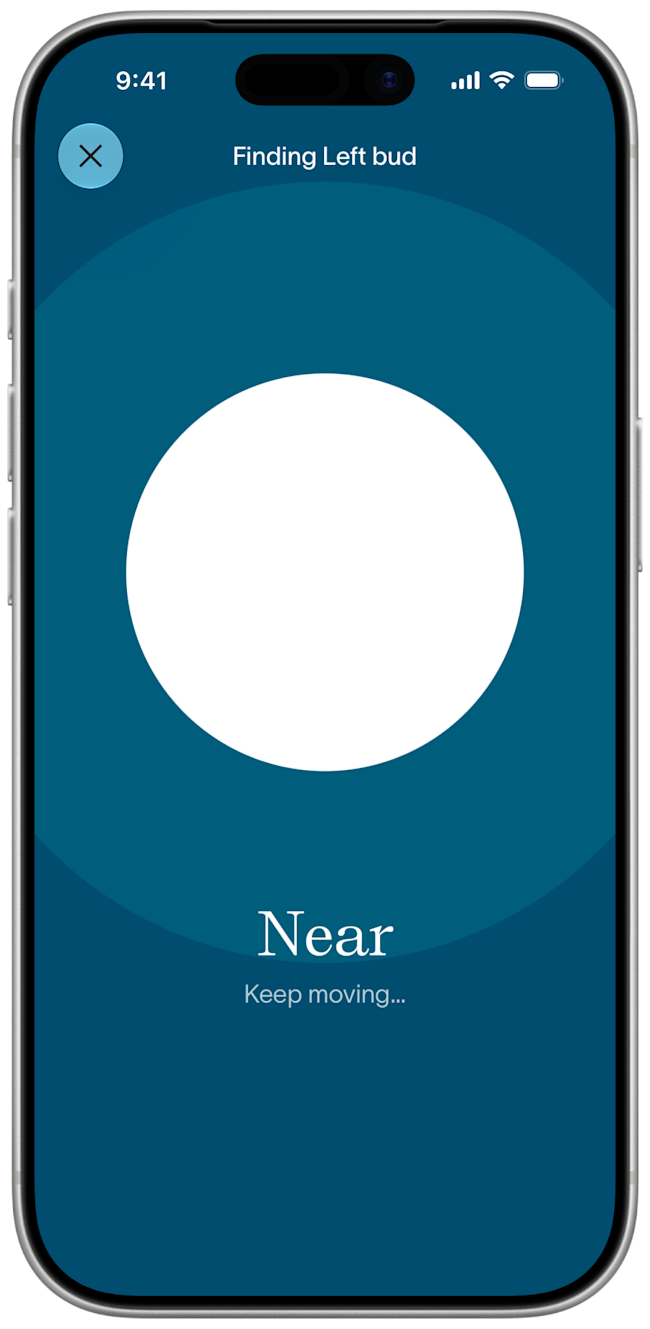
If your hearing aids are close, you can tap the Find nearby button at the bottom to use the signal strength of the hearing aids to help you pinpoint their exact location.
If you have any questions, we’re happy to help! Send us a message or call us at (917) 410-5407.
