While watching TV, an echo can sometimes happen because TV speakers are playing sound instantly, while the Auracast™ broadcast that is coming through your hearing aids has a small delay. When played together, the timing difference creates an echo.
Things to try
Lower the world volume – In your Fortell companion app, lower the world volume so less of the TV speaker volume will come through.
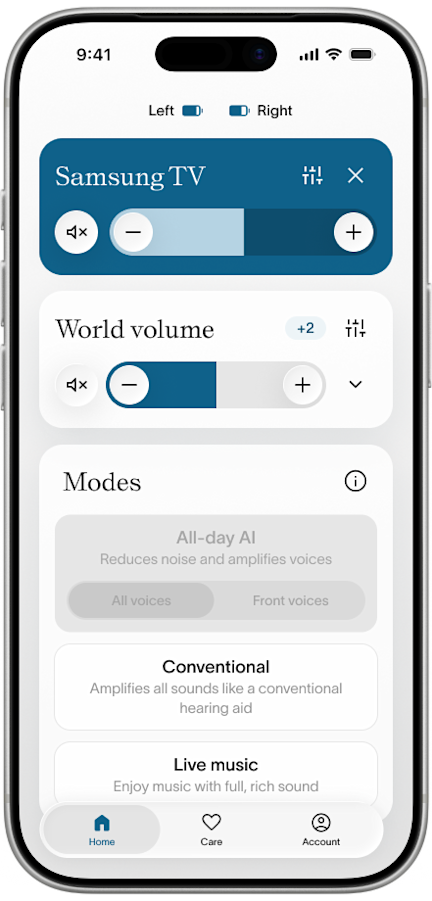
Lower the TV volume – Reduce the TV volume and increase your hearing aid volume.
Check your TV audio settings – Look for audio delay / AV sync and adjust it to see if that helps the echo.
Turn off your TV speakers – If no one else is listening in the same room as you, turn off the TV speakers and listen solely through your hearing aids.
Restart the TV – Restart your TV and transmitter if nothing else helps.
If you have any questions, we’re happy to help! Send us a message or call us at (917) 410-5407.