When you open your Fortell companion app, go to Account > Auracast™ broadcasts. If it is not visible as a menu item, it means your hearing aids need a firmware update or you need to update to the latest version of the companion app.
Step 1
Under Account, see if there is a firmware update available. If it is, tap Firmware update available.
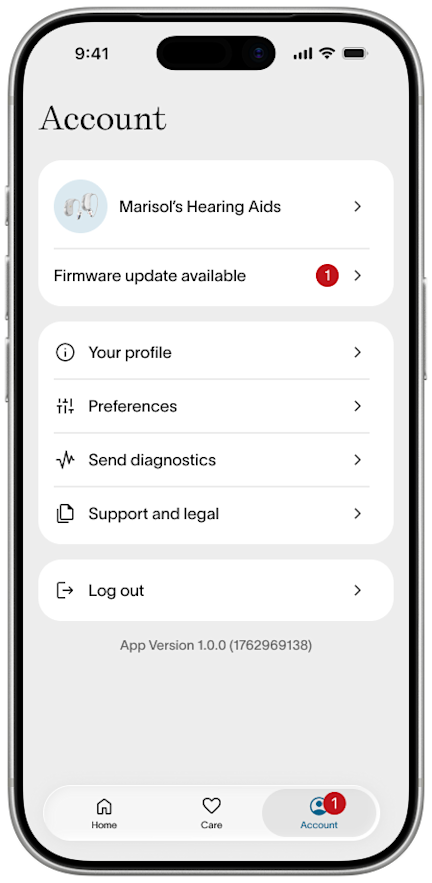
Follow the steps on screen. It will take a few minutes but when complete, Auracast should now appear in your Account menu.
Step 2
If there is no firmware update available, it means you need to update the Fortell companion app. You can do this from the app store.
Download the Fortell companion app for iOS
Step 3
If none of these steps work, we’re happy to help! Send us a message or call us at (917) 410-5407.