Auracast™ lets one audio source send sound to an unlimited number of nearby Bluetooth receivers at the same time. Please note that an Auracast™ transmitter is required for this to work. Once a transmitter is connected to a television, PA system, or supported device, you can join the broadcast and listen right from your hearing aids.
Step 1
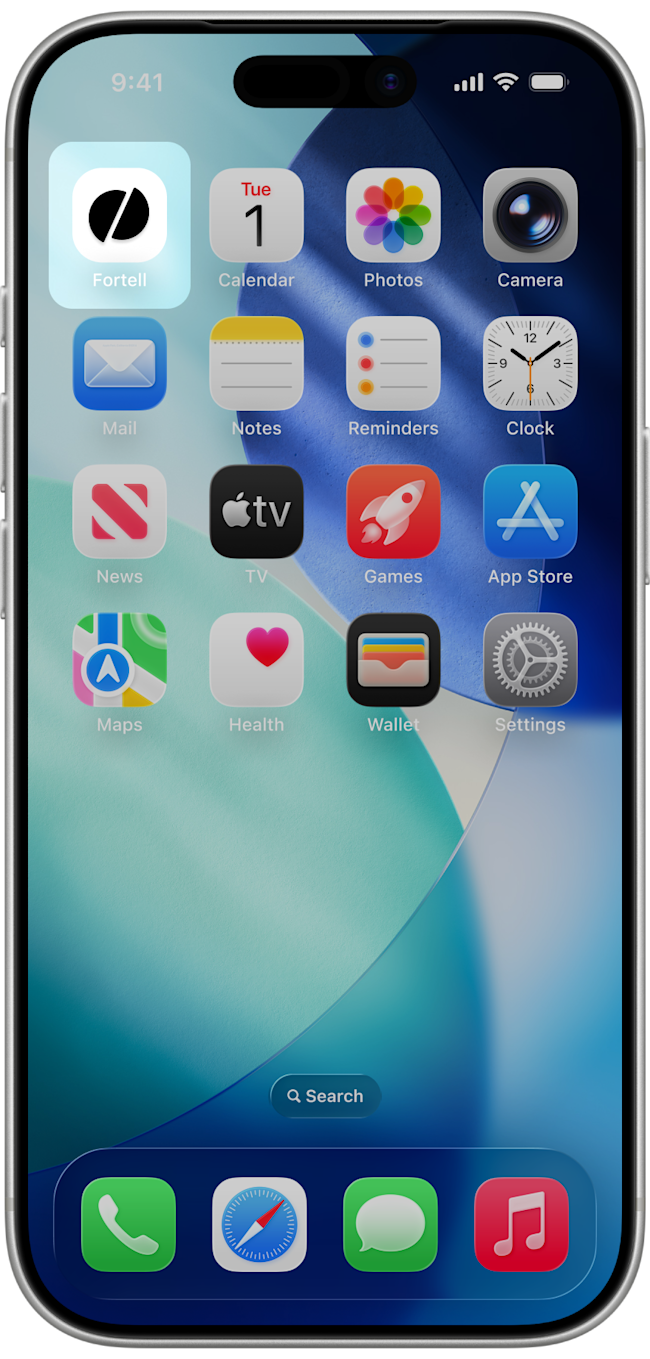
Make sure you're on the latest version of the Fortell companion app. You can update your app here.
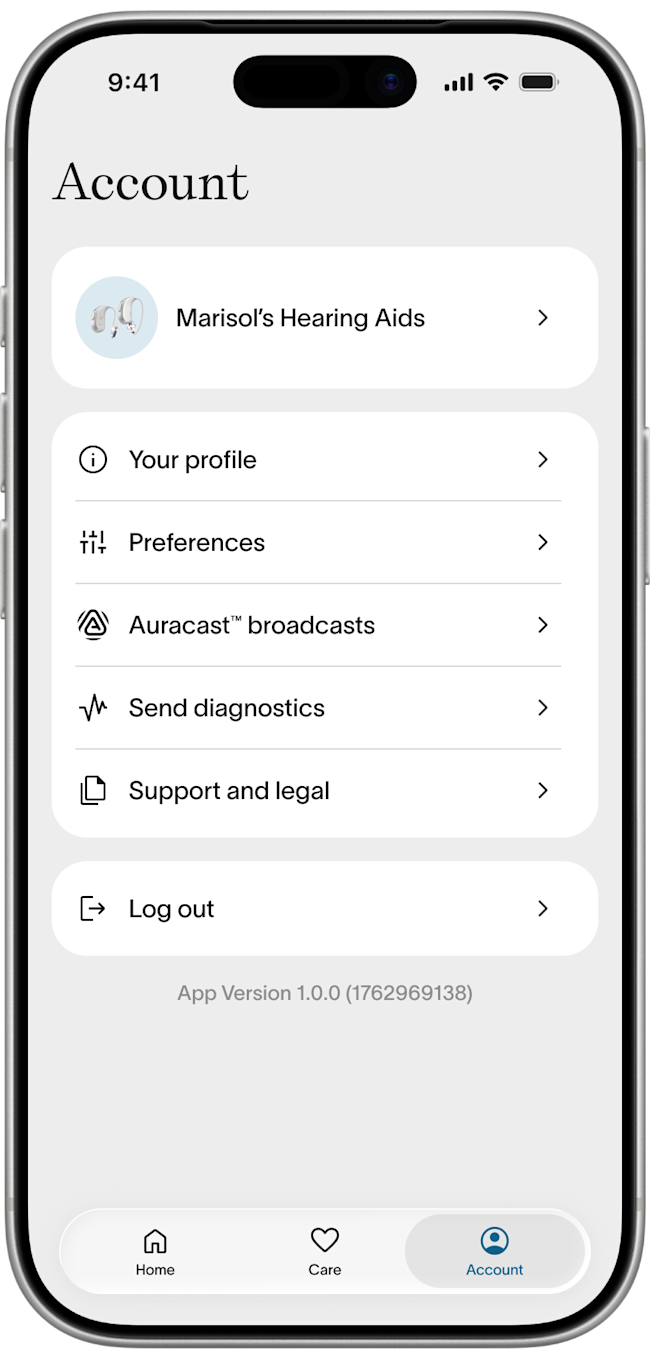
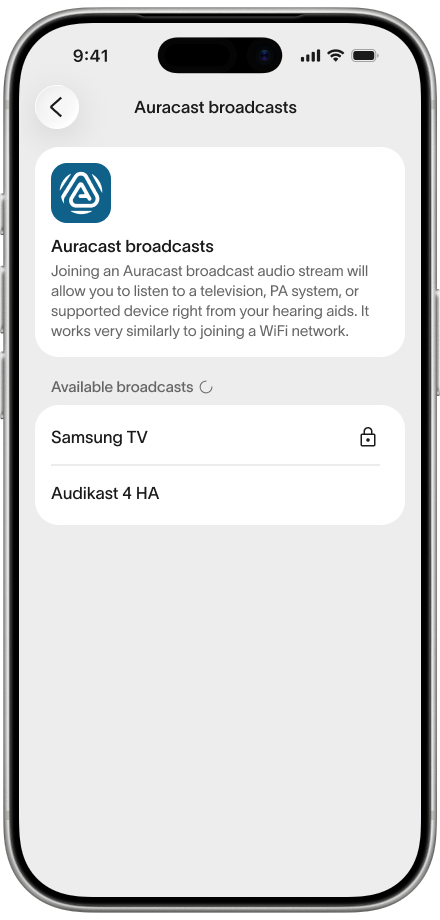
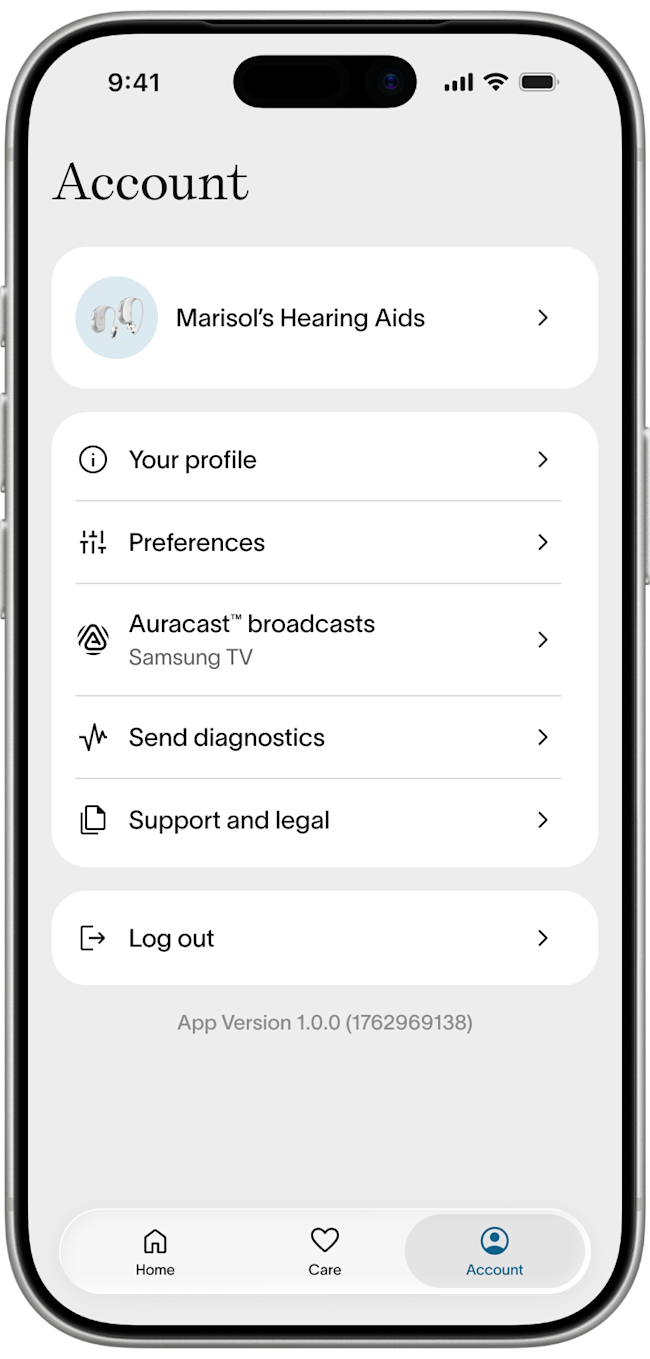
Open your Fortell companion app. Go to Account > Auracast™ broadcasts
Step 2
Under Available broadcasts, select the broadcast you want to join. If the broadcast you are looking for does not show up on the list or you are having trouble connecting, have a look at these troubleshooting tips:
Step 3
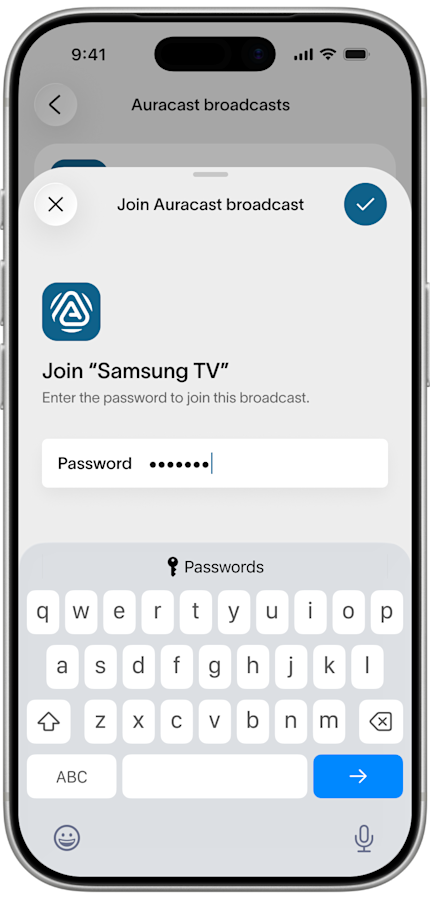
Some broadcasts require a password. If it does, you will see a lock icon next to the name of the broadcast. Tap on the broadcast and enter the password, then hit the blue checkmark or arrow.
Step 4
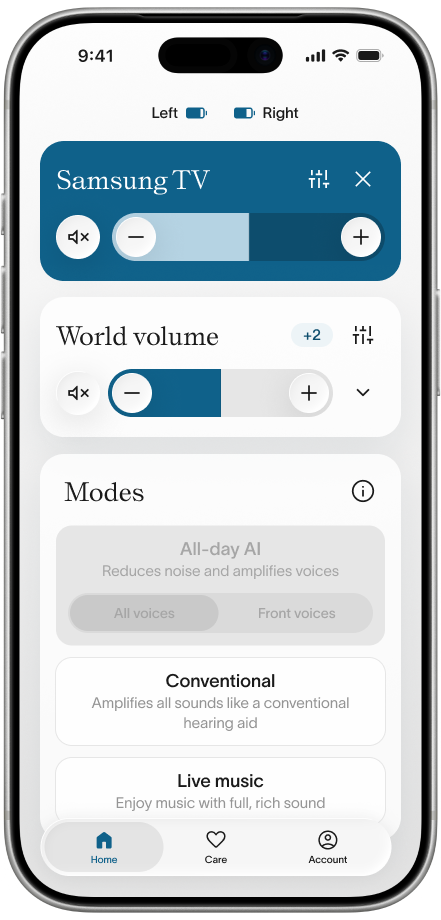
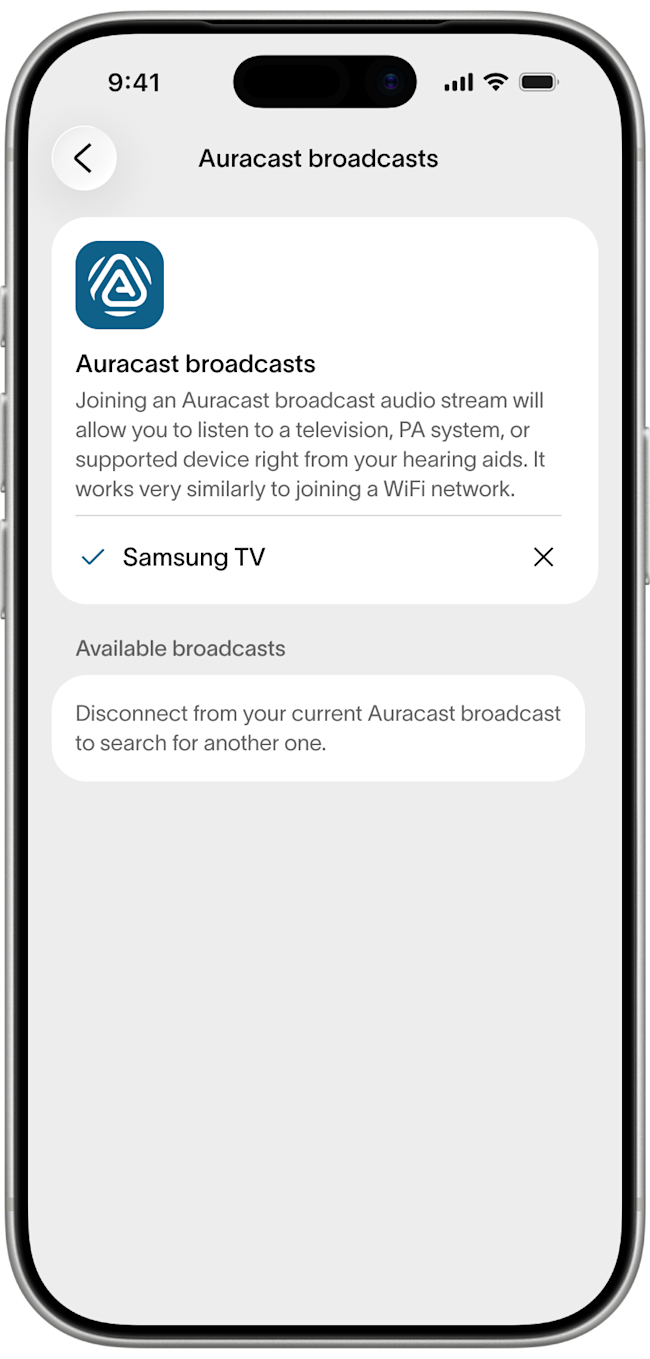
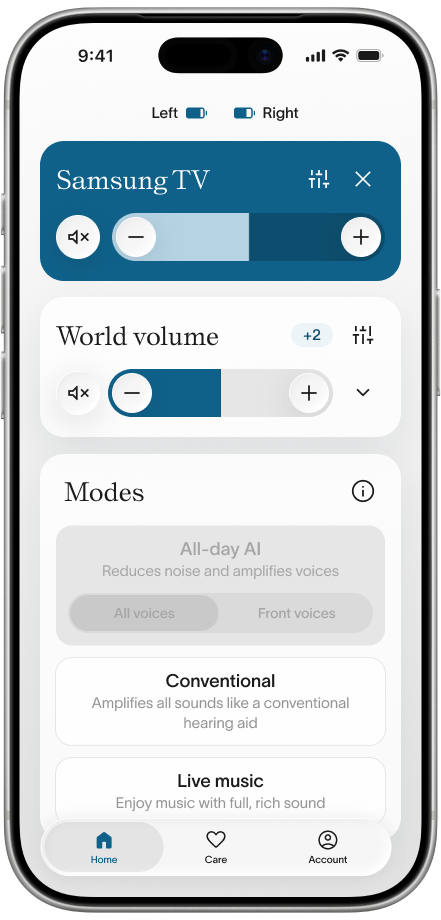
You should now be connected to your Auracast™ broadcast. Press the back button then Home to see the stream and adjust volume.
Step 5
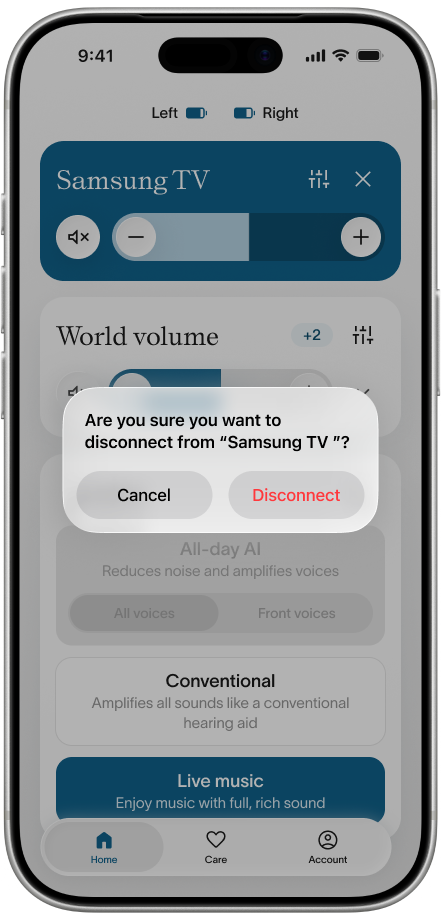
Whenever you are ready, you can hit the X to disconnect from the broadcast.