Step 1
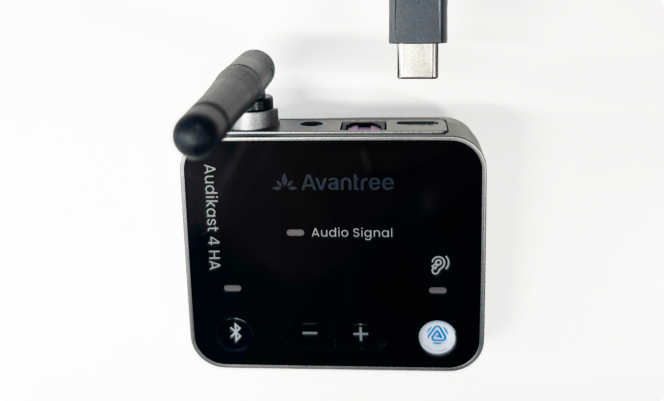
Plug in the USB-C power cord to Audikast 4HA. Plug the other end (USB-A) to a power brick (not provided).
Step 2
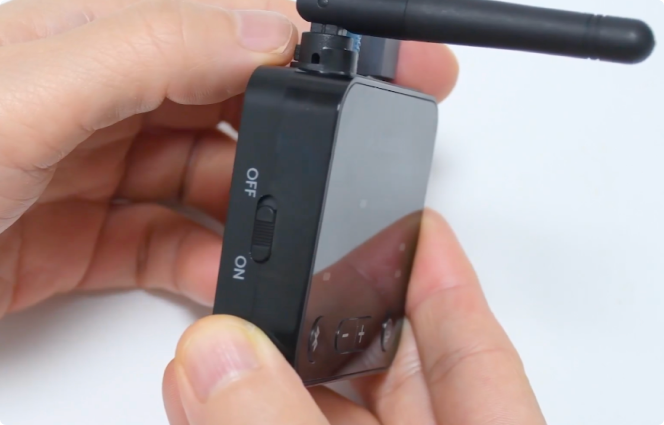
Slide the power switch to On.
Step 3
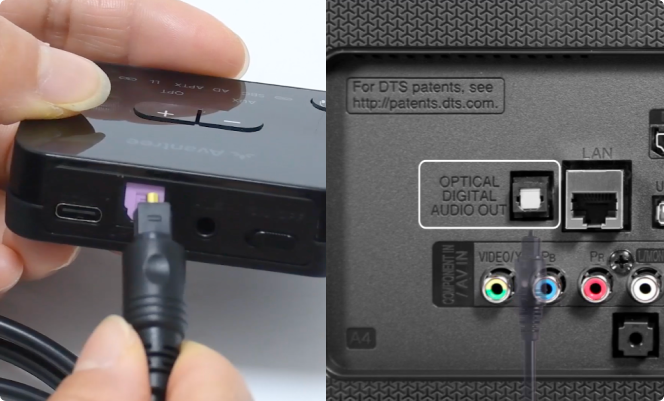
Connect your audio cord. If your TV or stereo has an optical port, we recommend you use that. Connect your Audikast 4HA to your TV or stereo with the provided cord.
If your TV or stereo does not have an optical port, you can also connect with the provided AUX (3.5mm) cord.
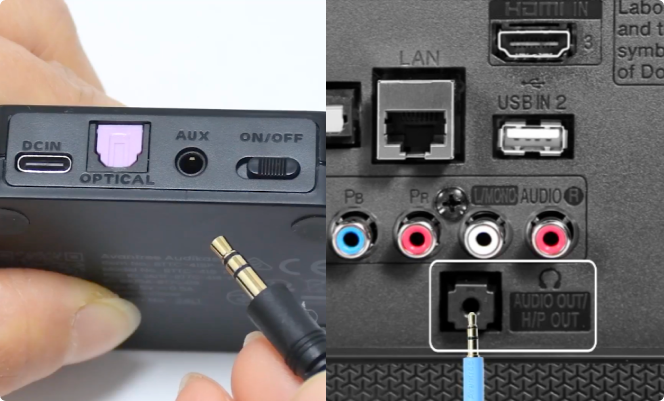
Note: Your TV or stereo should still be emitting sound. If not, you may need to check your TV audio settings and ensure it is using PCM.
Step 4
Your Audikast 4HA should now be broadcasting. You can now connect your hearing aids via the Fortell companion app. Instructions can be found here:
How to listen to an Auracast™ broadcast
If you have any questions, we’re happy to help! Send us a message or call us at (917) 410-5407.