Step 1
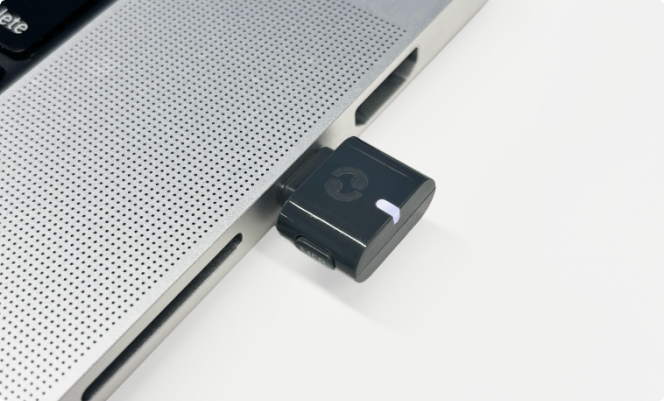
Plug your Avantree C82 Aura into a computer, tablet, or phone. You should see the LED light turn white.
Step 2
Start playing your media.
Step 3
Check your sound settings.
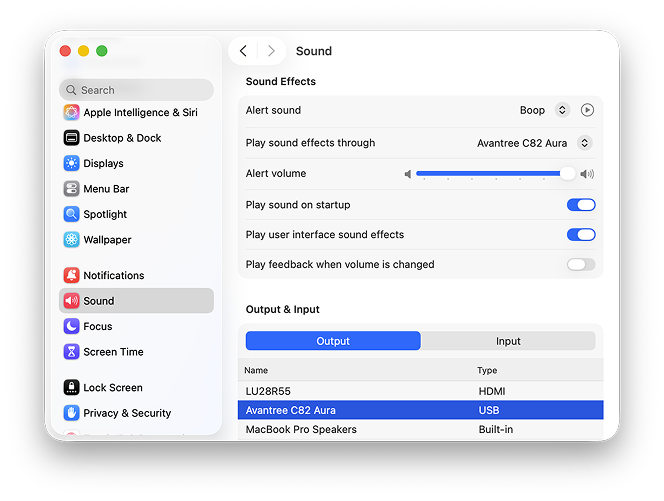
Open System Settings > Sound and choose Avantree C82.
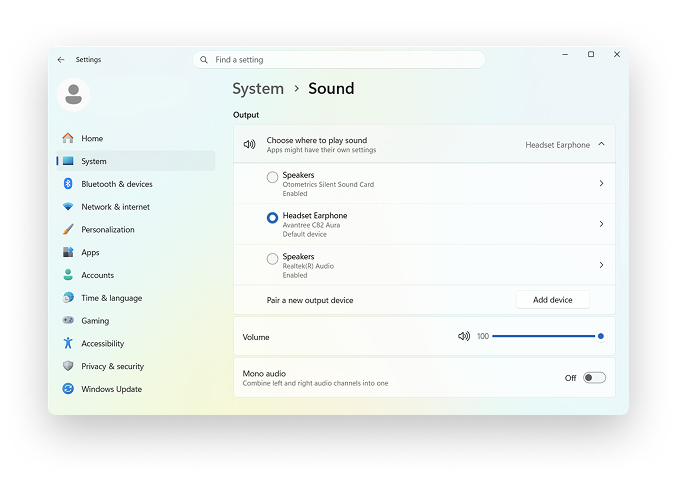
Open Settings > System > Sound and choose Avantree C82.
Step 4
Your C82 Aura should now be broadcasting. You can now connect your hearing aids via the Fortell companion app. Instructions can be found here:
How to listen to an Auracast™ broadcast
If you have any questions, we’re happy to help! Send us a message or call us at (917) 410-5407.