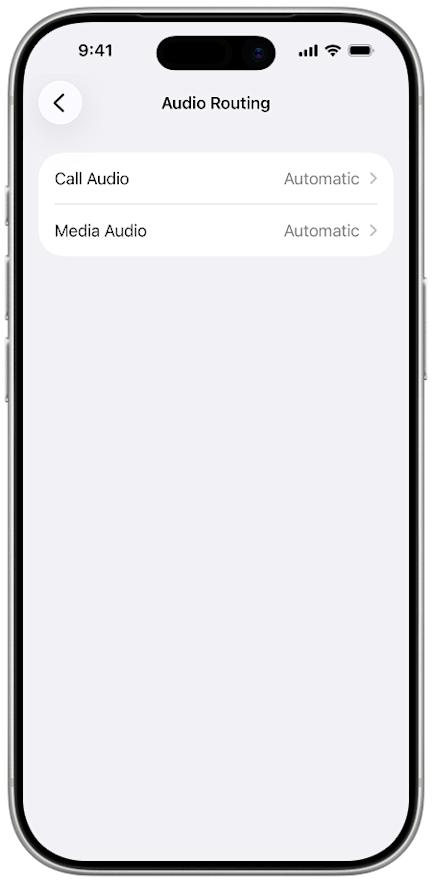
When your hearing aids are paired to your iPhone, you can use them as wireless headphones to stream phone calls, music, and other media. To maintain a strong connection, keep your iPhone close to your hearing aids when you are streaming phone calls or other media. For best performance, keep your iPhone in front of you within a few feet of your hearing aids.
Set up automatic streaming
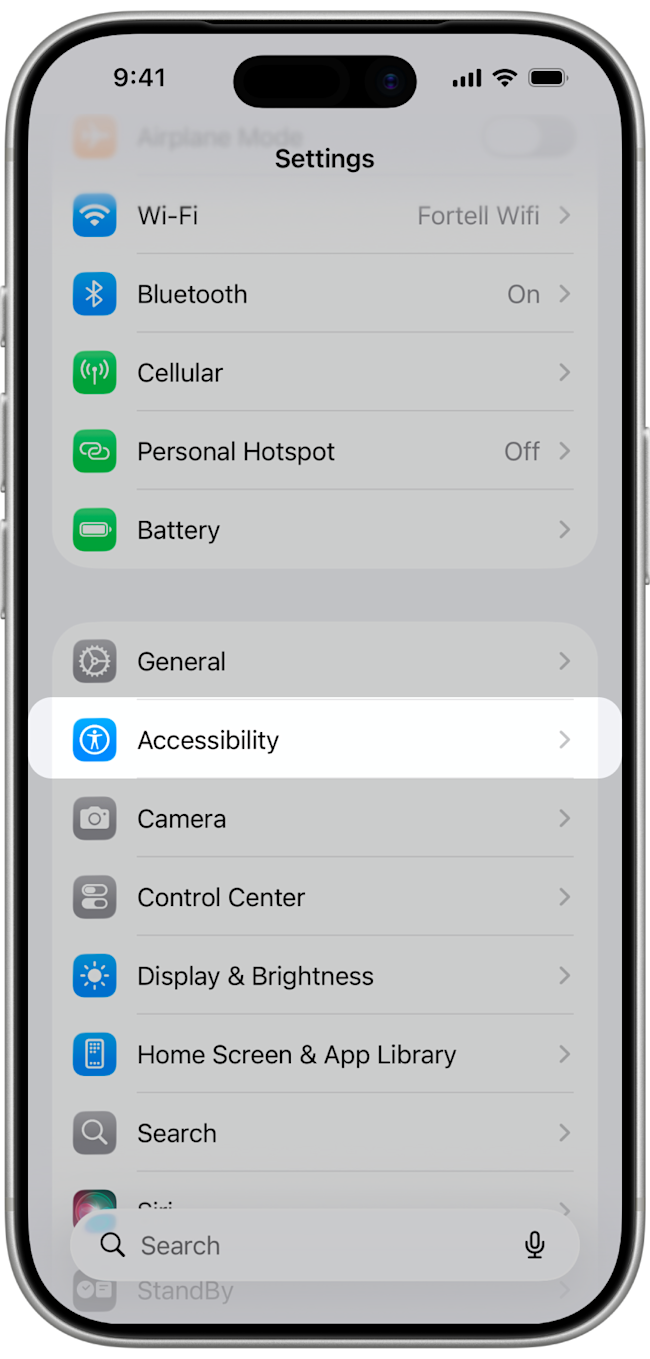
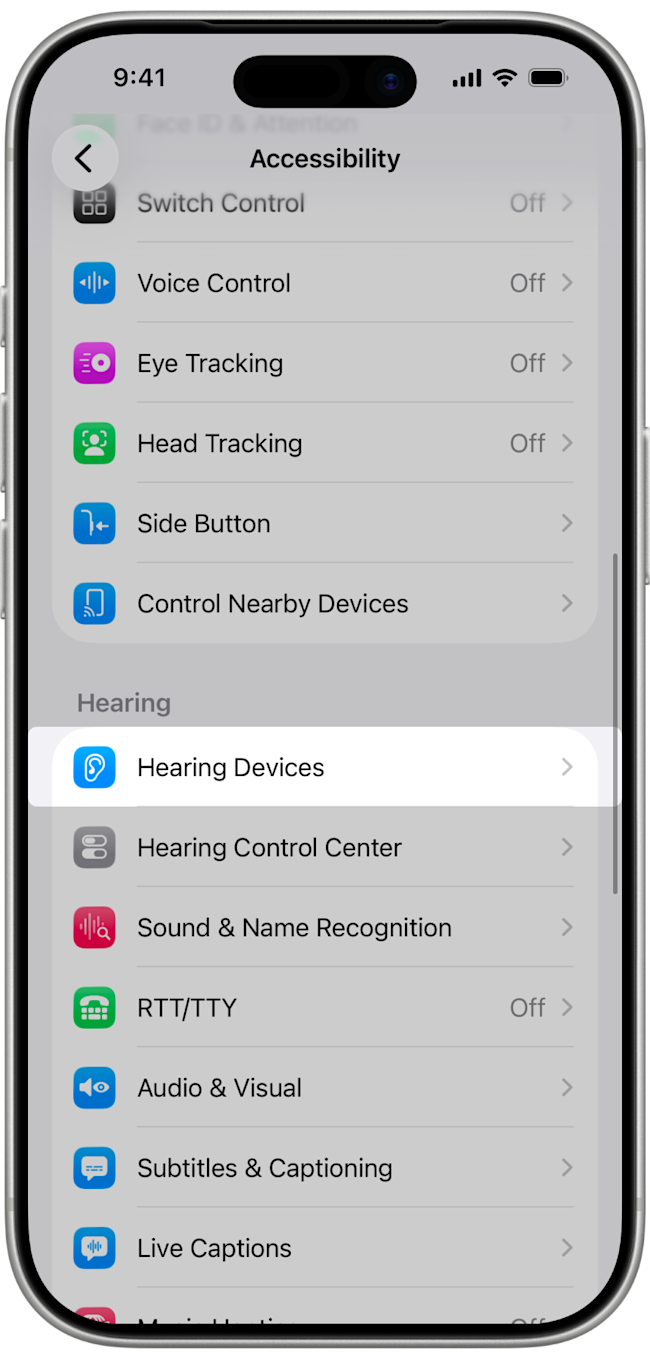
To automatically use your hearing aids as wireless headphones, navigate to Settings > Accessibility > Hearing Devices > Audio Routing.
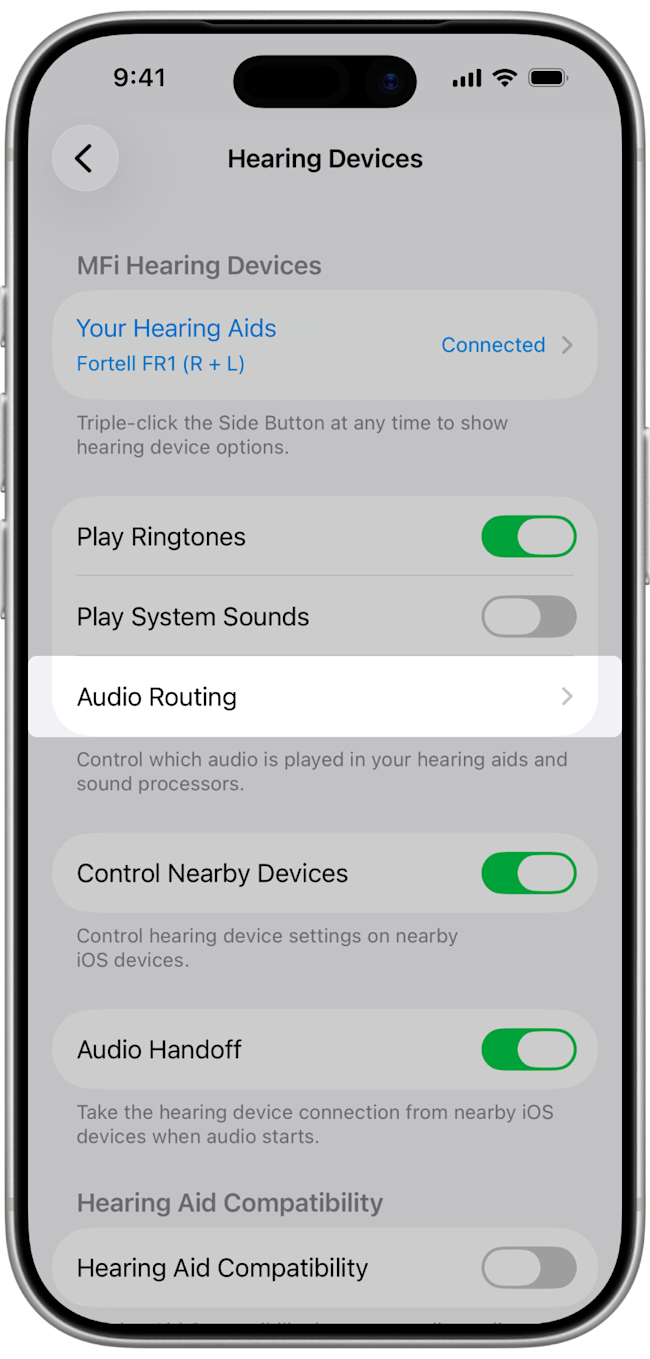
Set Call Audio and Media Audio to Automatic. Your hearing aids will now automatically play phone calls and media through your hearing aids. They will automatically stop streaming when they are placed in the case.